¶ First Time Setup
¶ Pre-requisites
- Discord account
- Microsoft account
- Minecraft installed
- Stable internet connection
¶ Discord Setup
These instructions assume you have received an invite to and joined The Happy Kraken discord server
- Go to the
role-requestchannel and ask for theBuildersrole
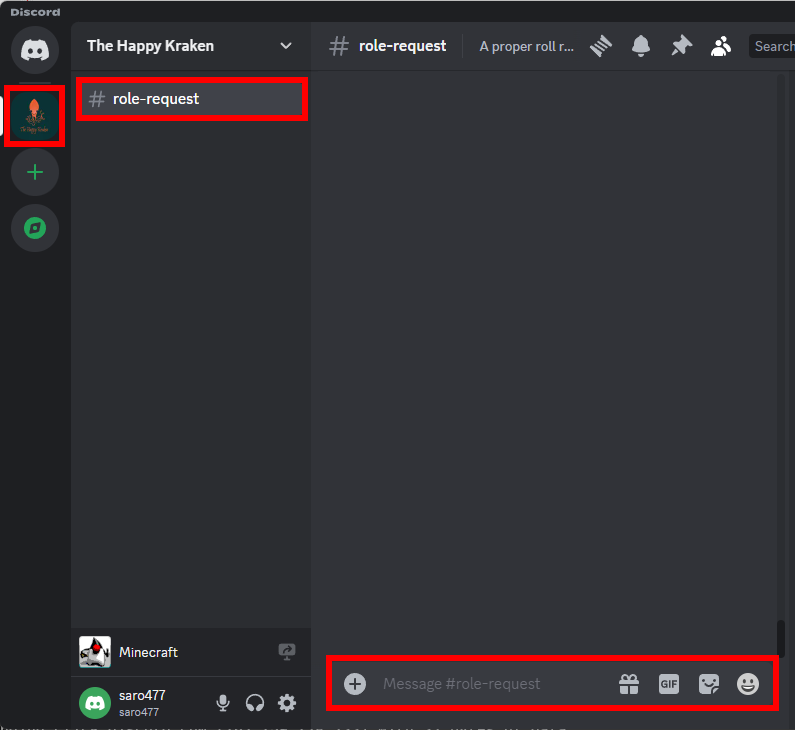
- Continue on to Minecraft Setup
- Use the
PCinstructions as a guide
¶ Minecraft Setup
¶ Setup the installation
- Open the Java Edition launcher
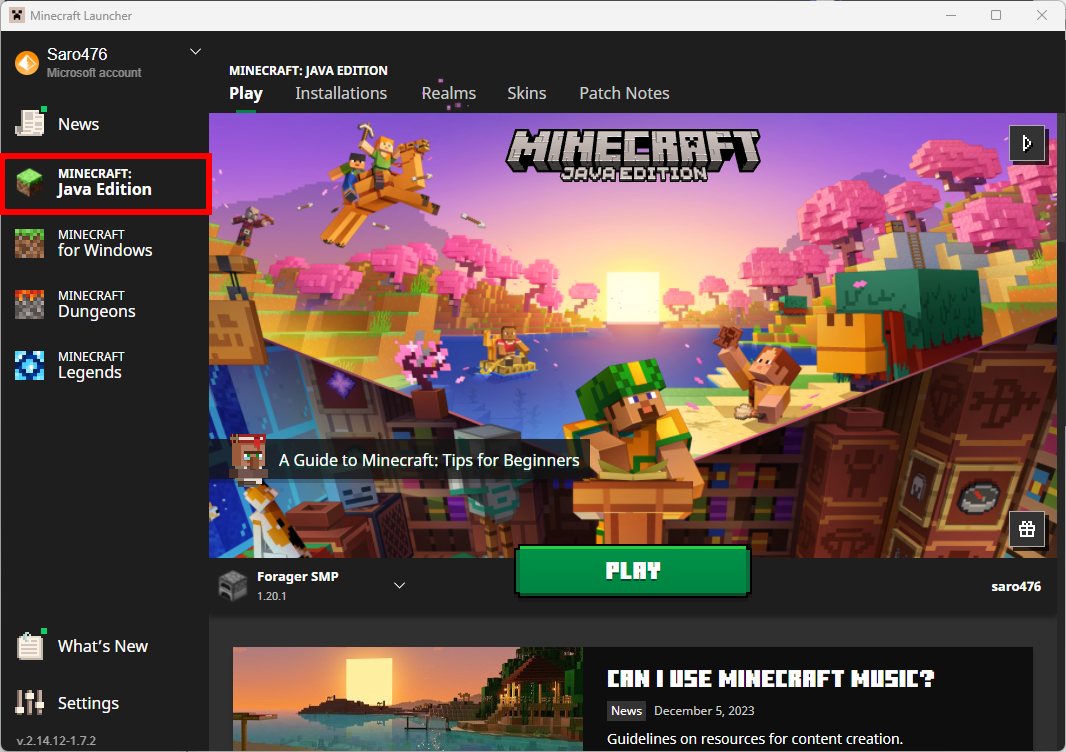
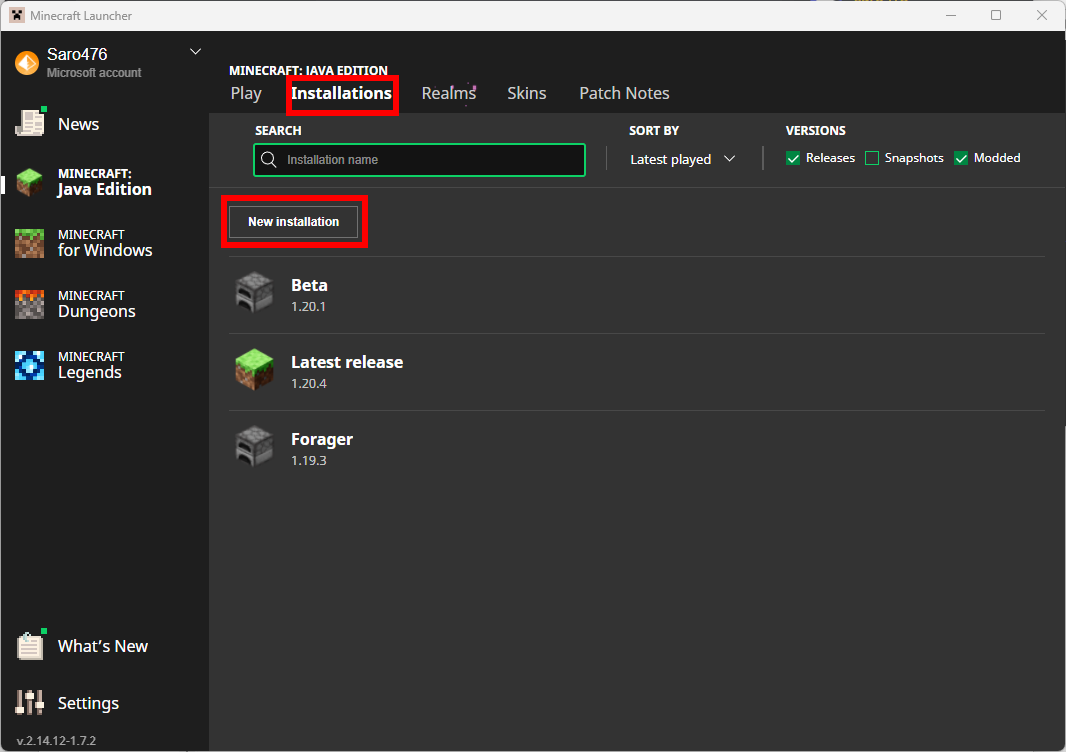
- Select
InstallationsthenNew Installation
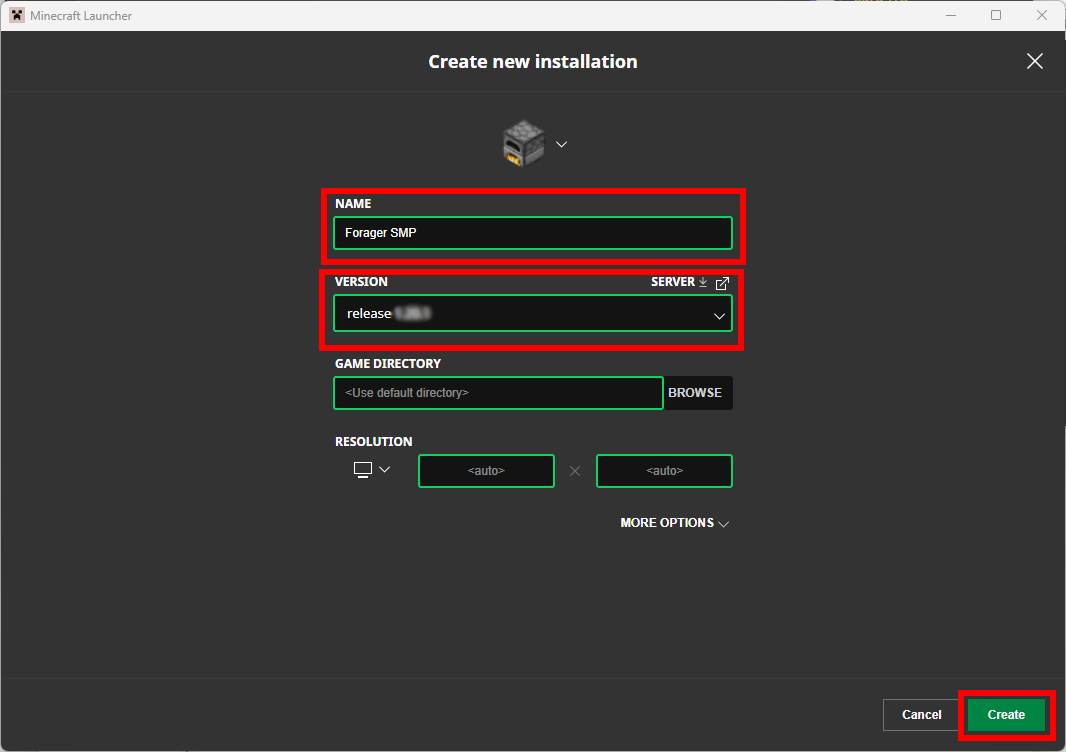
- Give the installation a name. Something like
Forager SMP - Select the appropriate version. Currently this is
release 1.21.11
Ensure you select the official release version
- Click
Createto complete the installation
- Navigate back to the launcher home page
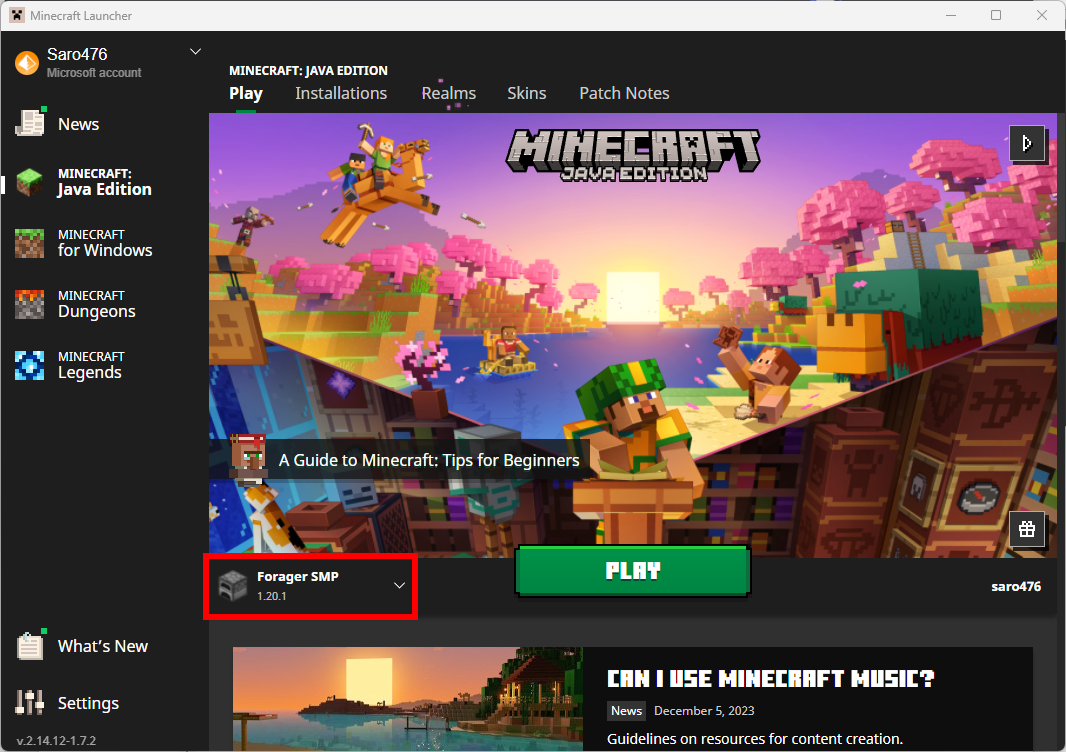
- In the installation drop-down, select the new
Forager SMPinstallation
¶ Connect to the Forager server
- Click
Playto launch Minecraft
This may take a few minutes to open as it downloads the server files
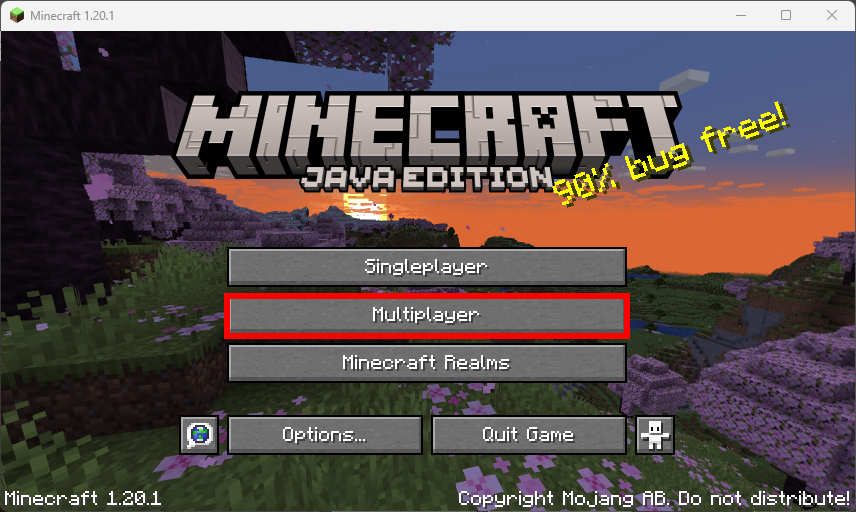
- Once Minecraft is open, select
Multiplayer
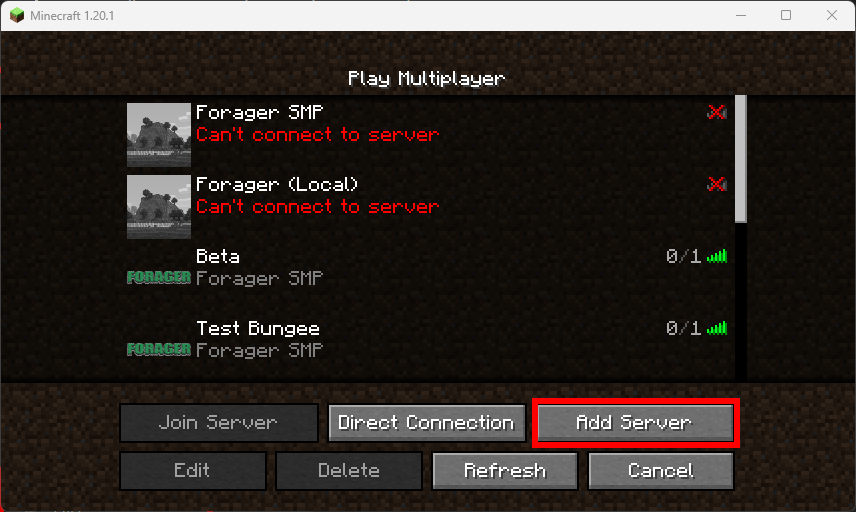
- Click
Add Server
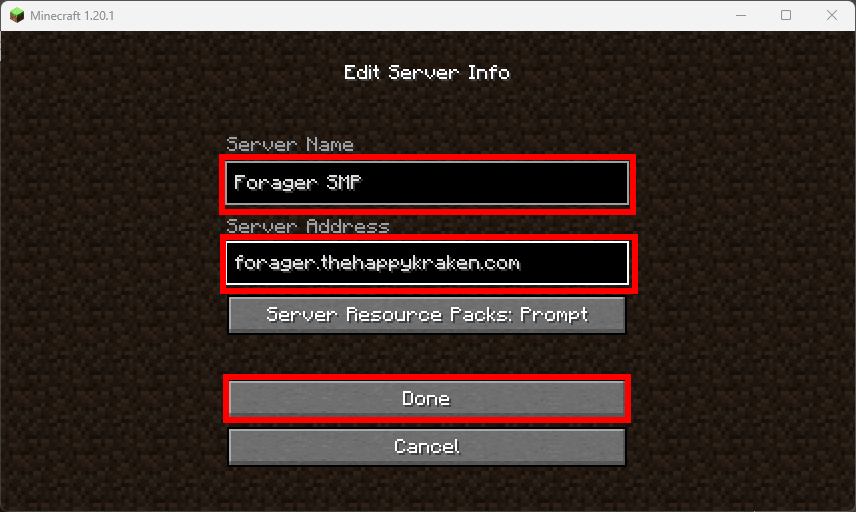
- Give the server a name. Something like
Forager SMP - Use the server address
forager.thehappykraken.com - Click
Done.
- Click the
Playbutton beside the server to join the world
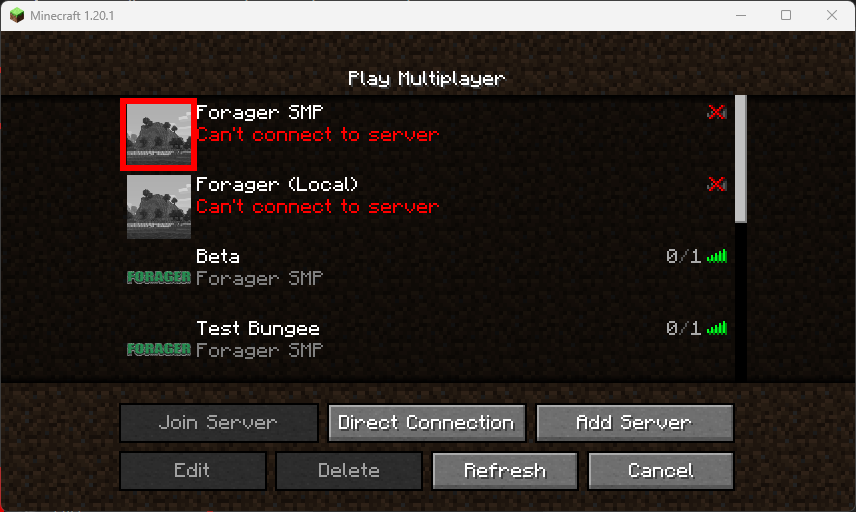
- This concludes the first time setup. The server is now ready to play
- Continue on to Link Discord Account
¶ Connect to the Forager server
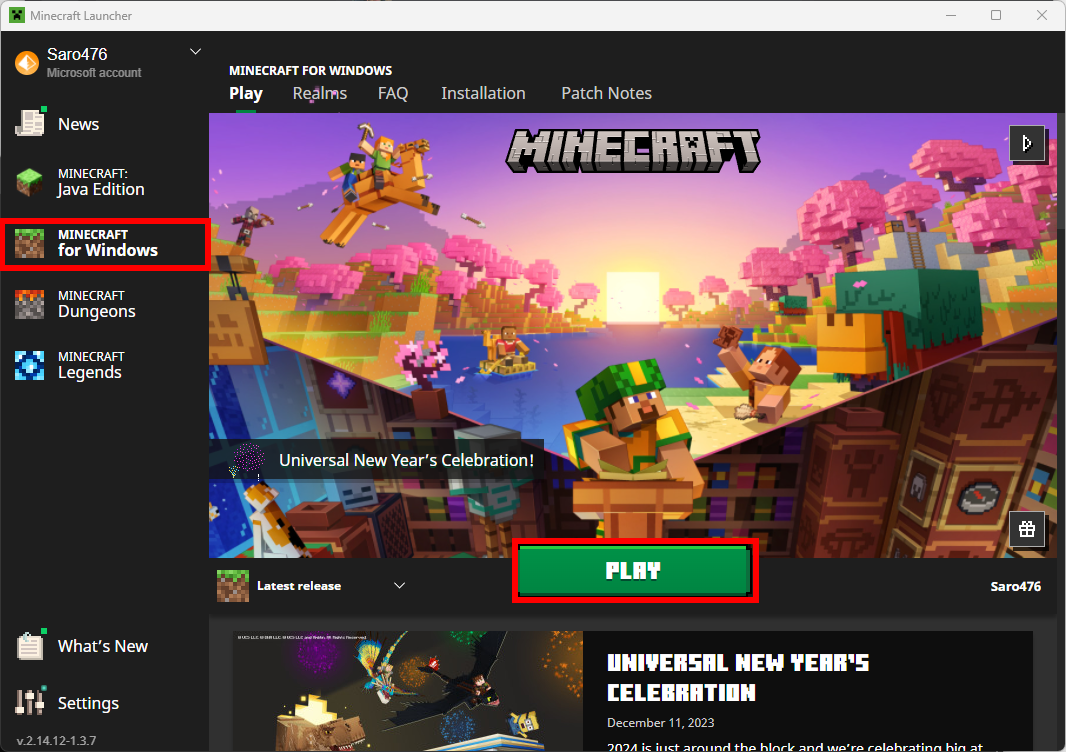
- Open the
Minecraft for Windowslauncher - Click
Playto launch Minecraft
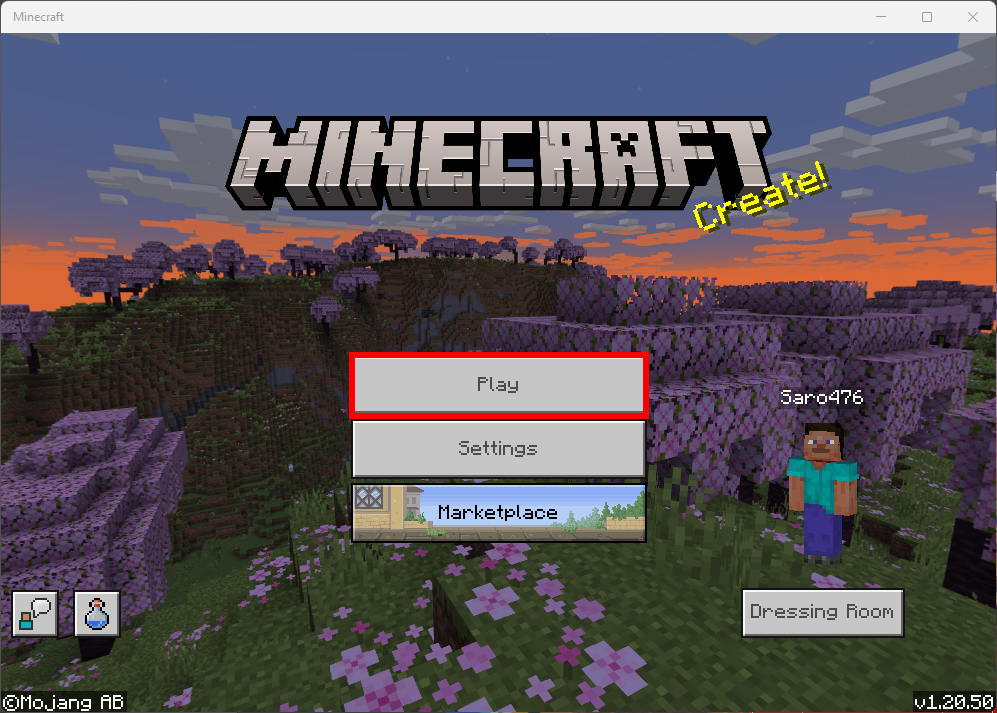
- In the Minecraft window, again click
Play
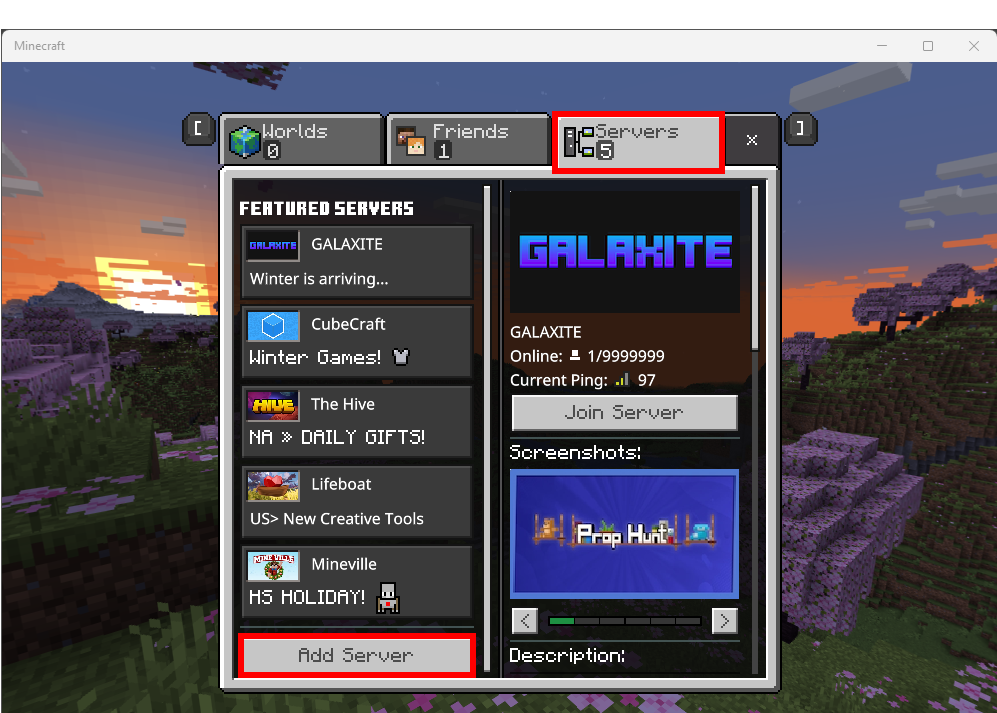
- Select the
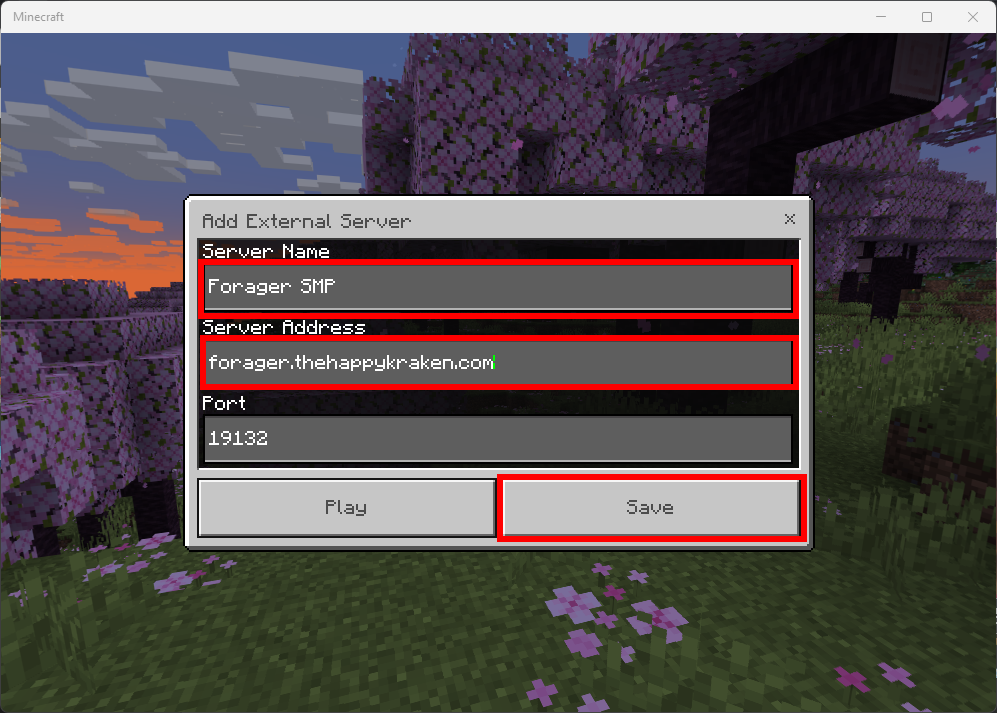
Serverstab and clickAdd Server
- Give the server a name. Something like
Forager SMP - Use the server address
forager.thehappykraken.com
Make sure to use the port
36423
- Click
Saveto return to the previous screen
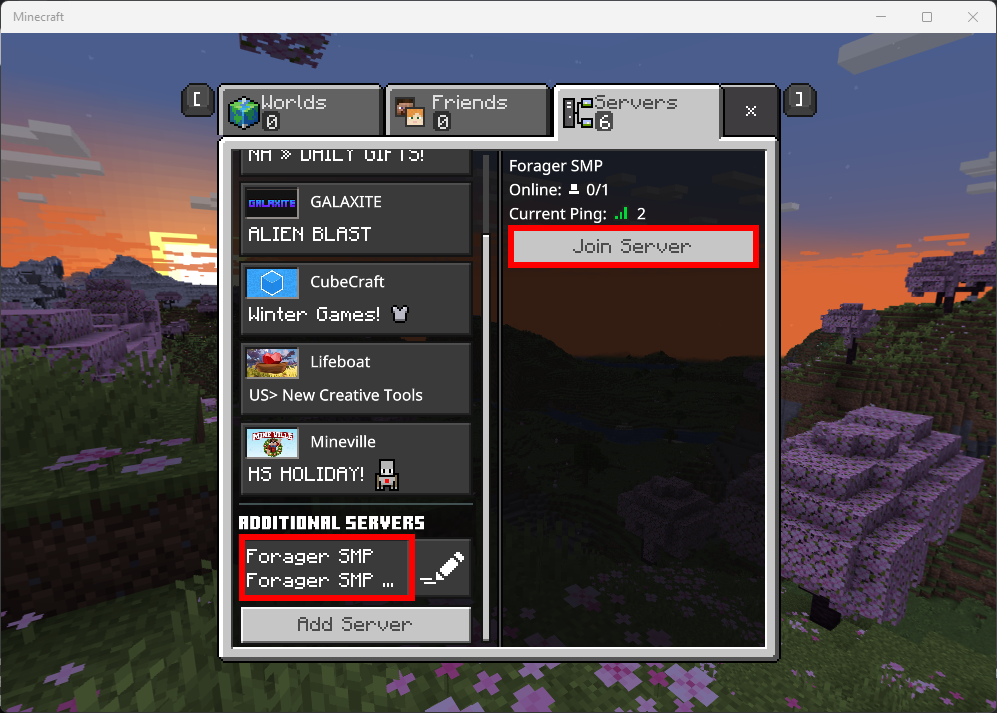
- Click on the added server and press
Join Server
- Continue on to Link Discord Account
Use the Windows instructions as a reference
Nintendo and other console manufacturers restrict the servers players are allowed to connect to a list of pre-approved public servers. To connect to the Forager SMP server, the switch must be tricked into thinking it is connecting to one of these pre-approved servers. The following instructions allow a console to connect to the Forager server. Please read all warnings and ensure you have all pre-requisites before proceeding.
¶ Pre-requisites
- To connect to public servers including Forager, you need both a Nintindo Online subscription and a Microsoft account.
- These instructions assume you already have Minecraft installed on your switch and can successfully connect to public servers like Cube Craft.
¶ Warnings
These instructions change the default DNS server of your switch to a non-authoritative server. This poses a small security risk for man-in-the-middle attacks. While DNS corruption is an unlikely scenario, the Happy Kraken is not responsible for issues resulting from changing your DNS server. It is recommended you switch your
DNS Settingsback toAutomaticbefore giving any sensitive information through your switch. See Technical Info for more information.
These instructions allow you to play on the Forager server, but will not allow you to play on any other public server. If you would like to play on other servers, switch the
DNS Settingsback toAutomatic.
¶ Instructions
- Go to the switch home screen
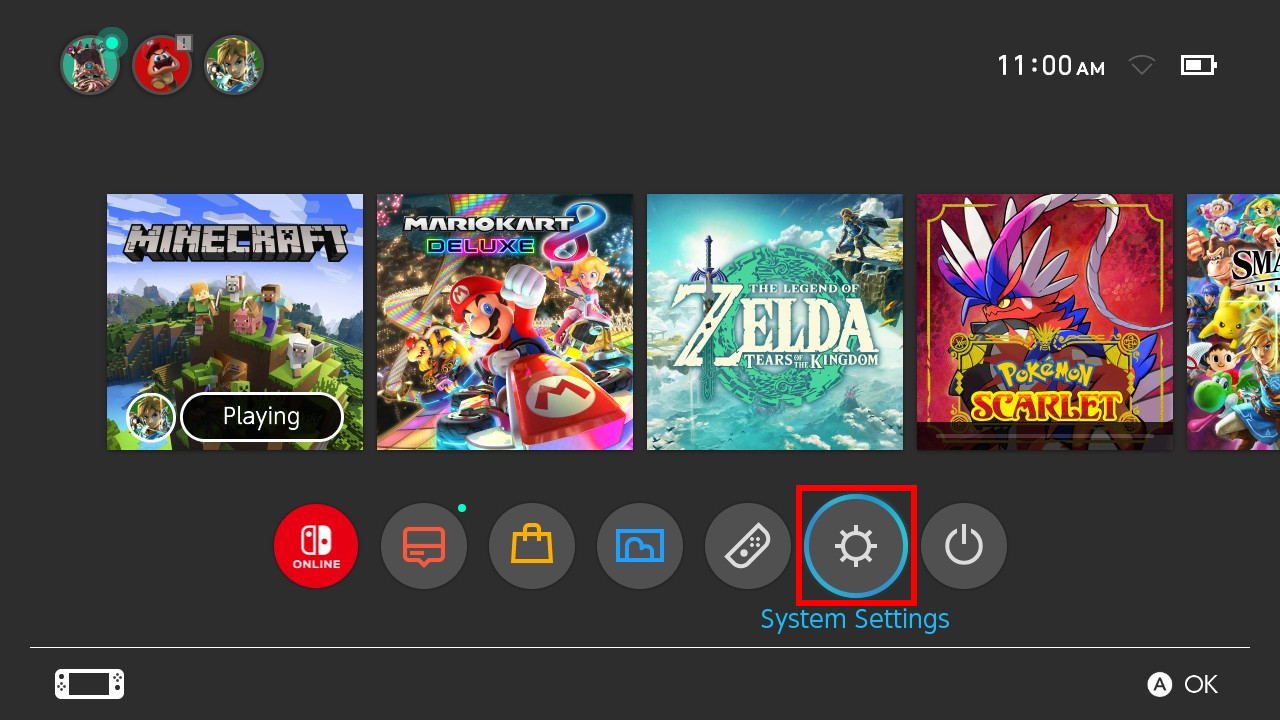
- Click the
System Settingsicon
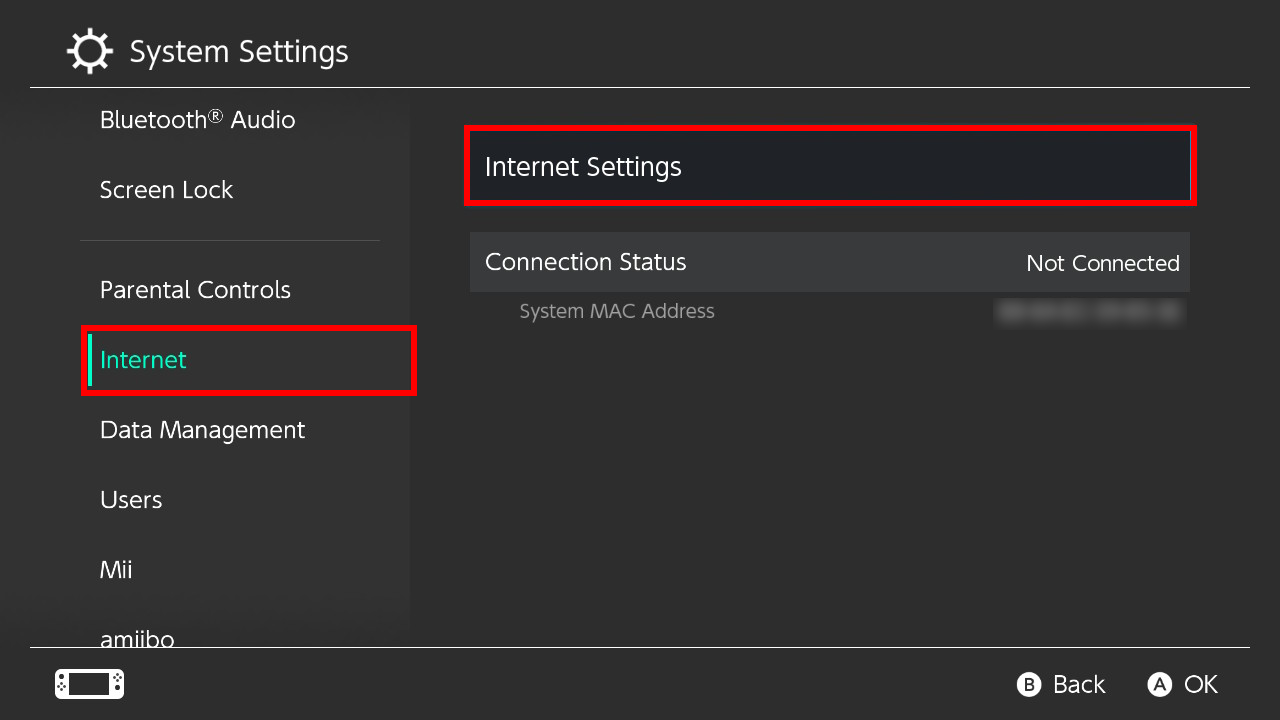
- Select the
Internettab and clickInternet Settings
- Select the network you are connected to
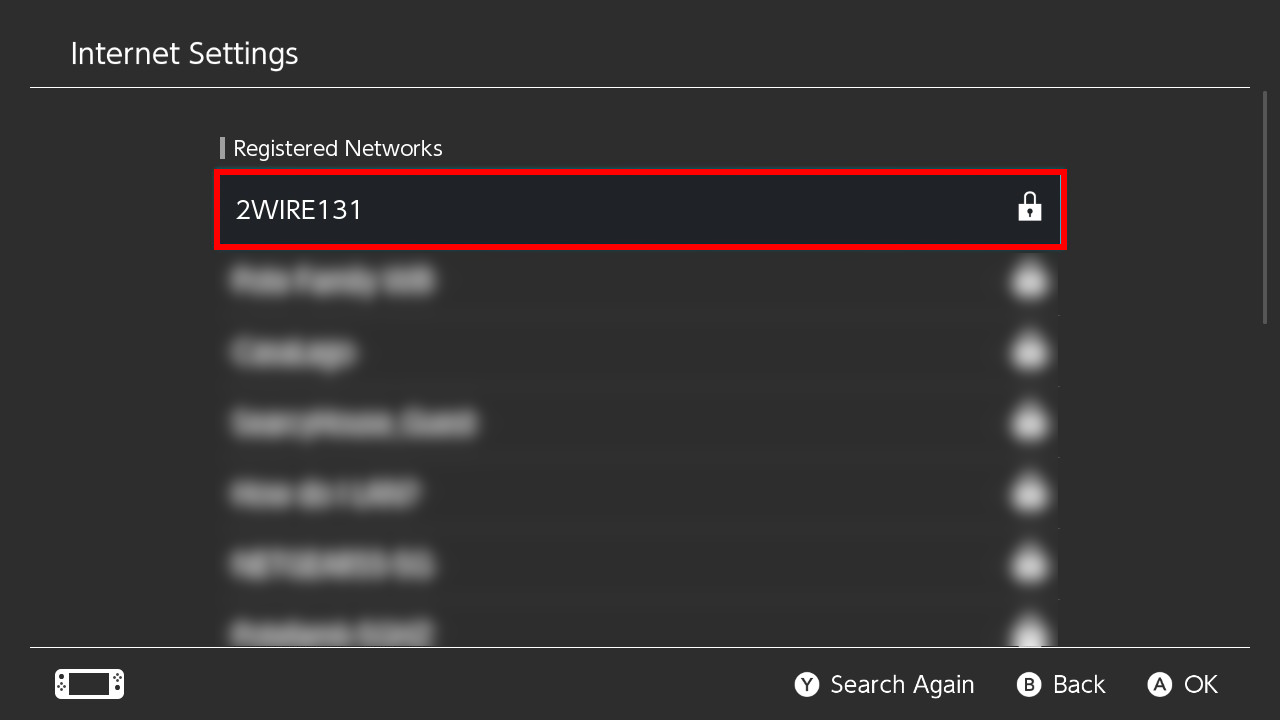
If you use the switch on multiple WiFi networks, steps 4-8 must be repeated for each network
- Select
Change Settings
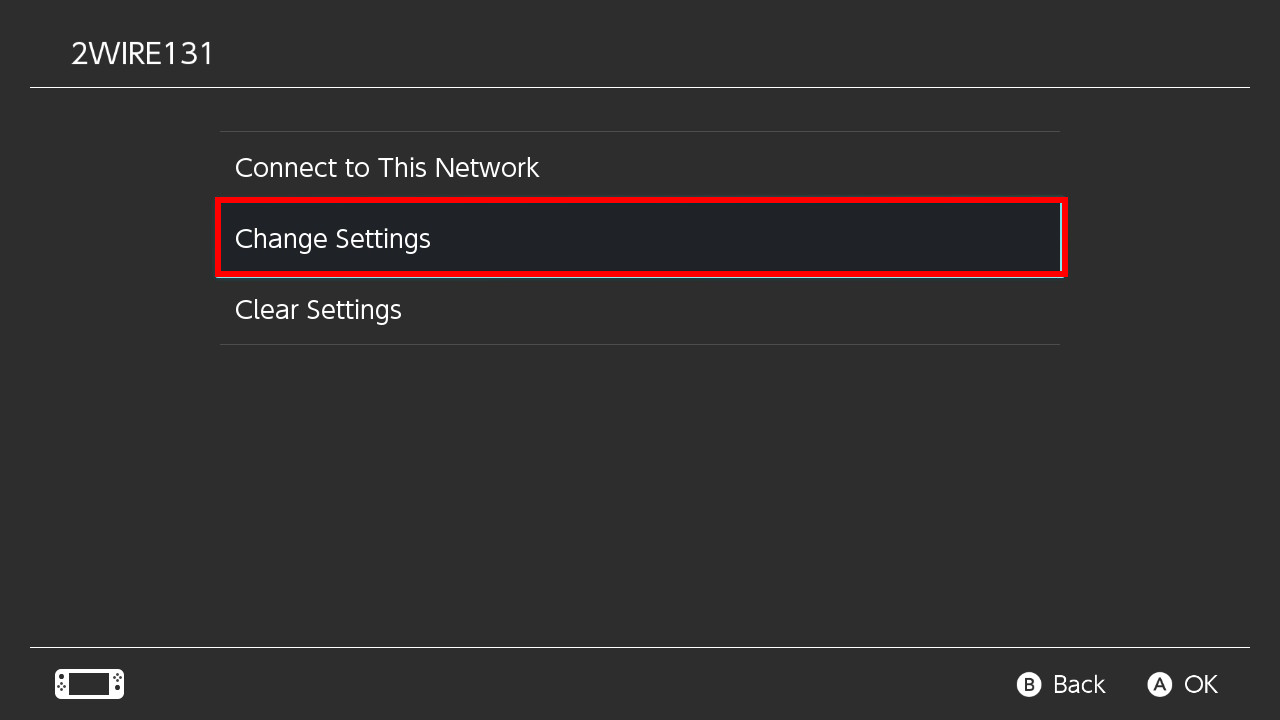
- Click on
DNS Settingsand select Manual and hitOK
Changing this setting will not allow you to play on the current list of public servers. If you want to play on another server, switch this setting back to
Automatic
- Select
Primary DNSand type73.95.175.70. HitOK
The primary DNS IP address is subject to change. Changes to the address will be posted to the Discord server, but if you experience any issues, please see the Troubleshooting page.
- Select
Secondary DNSand type8.8.8.8(or1.1.1.1) and hitOK
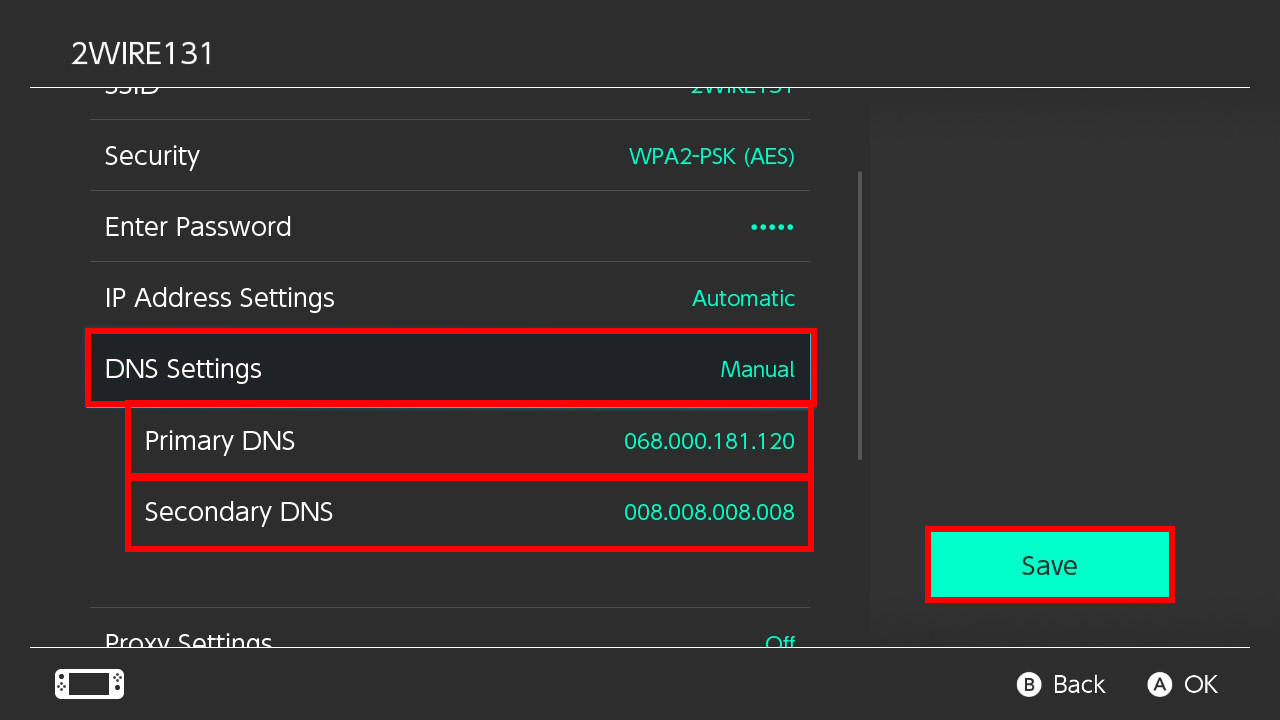
- Return to the switch home screen
- Open Minecraft
- Click
Play
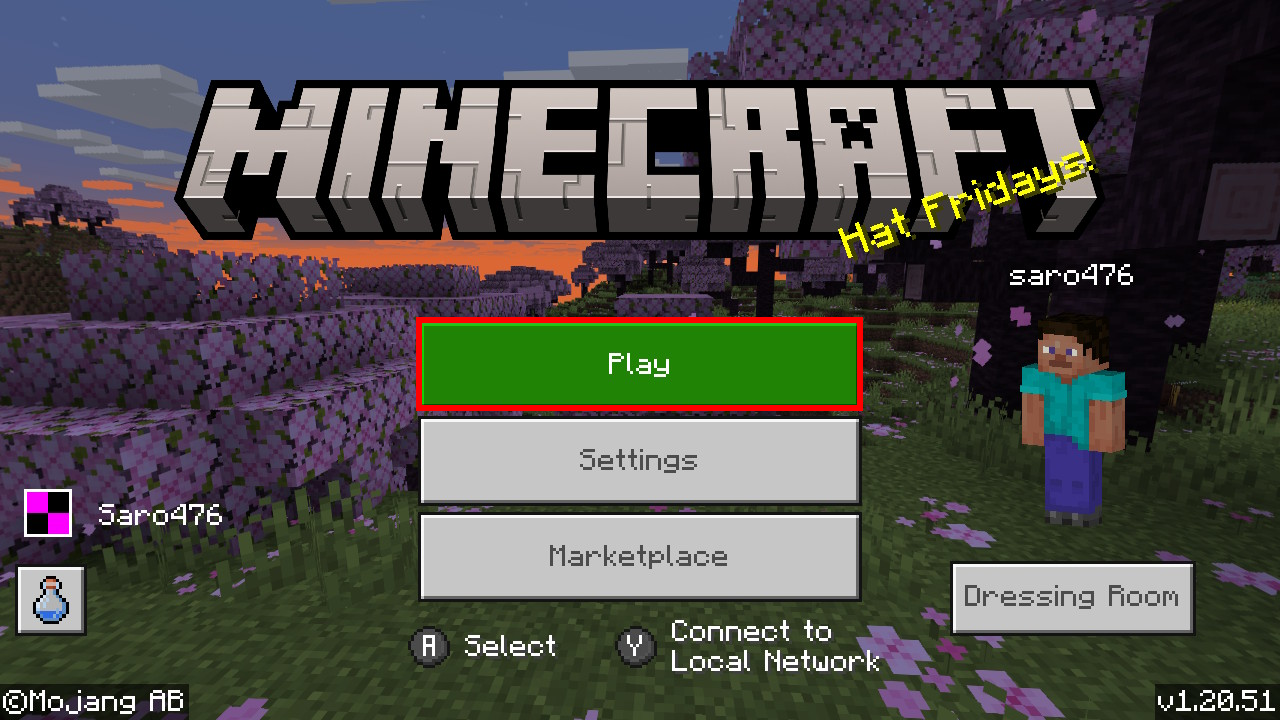
- Select the
Serverstab - Select any server from the list, except CubeCraft, and press
Join Server
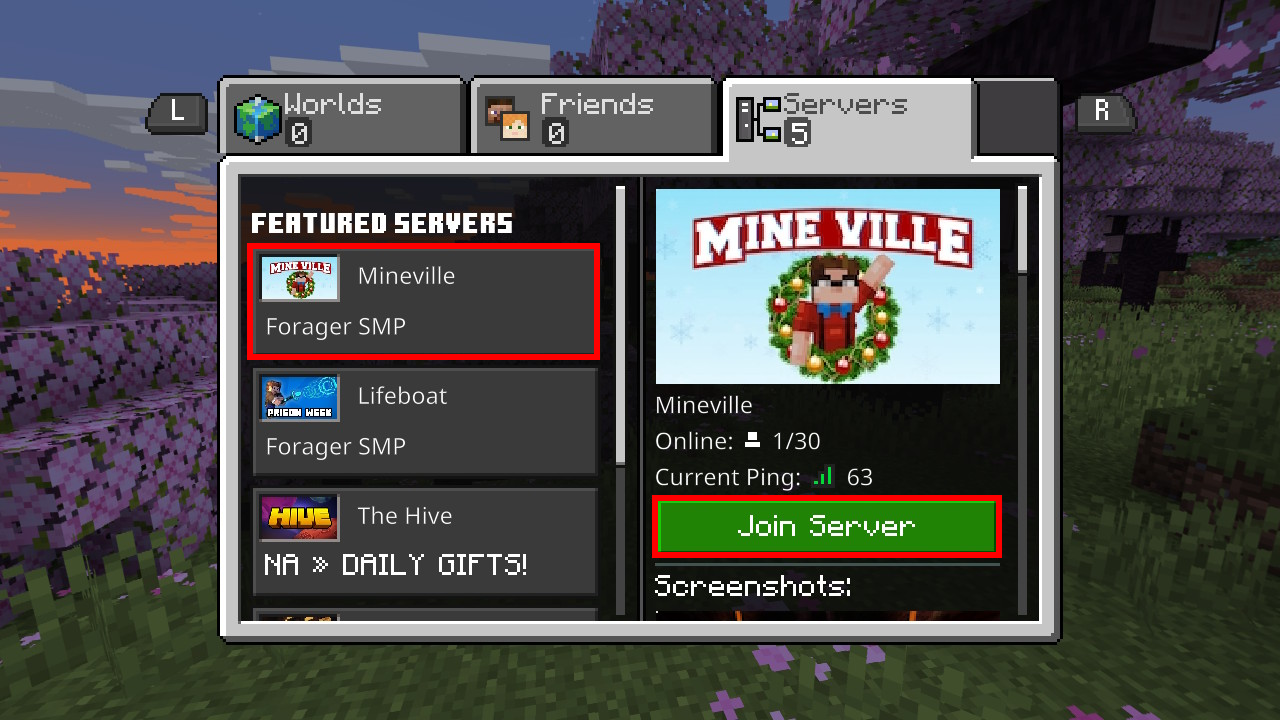
- Select the Forager server in the list
- Continue on to Link Discord Account
If you do not connect or see another screen, go to the Troubleshooting page for assistance with common issues.
Use the Nintendo Switch instructions as a reference
Use the Nintendo Switch instructions as a reference
¶ Link Discord Account
This assumes you have already followed the Discord Setup and Minecraft Setup instructions
You can only link one Minecraft account to your discord
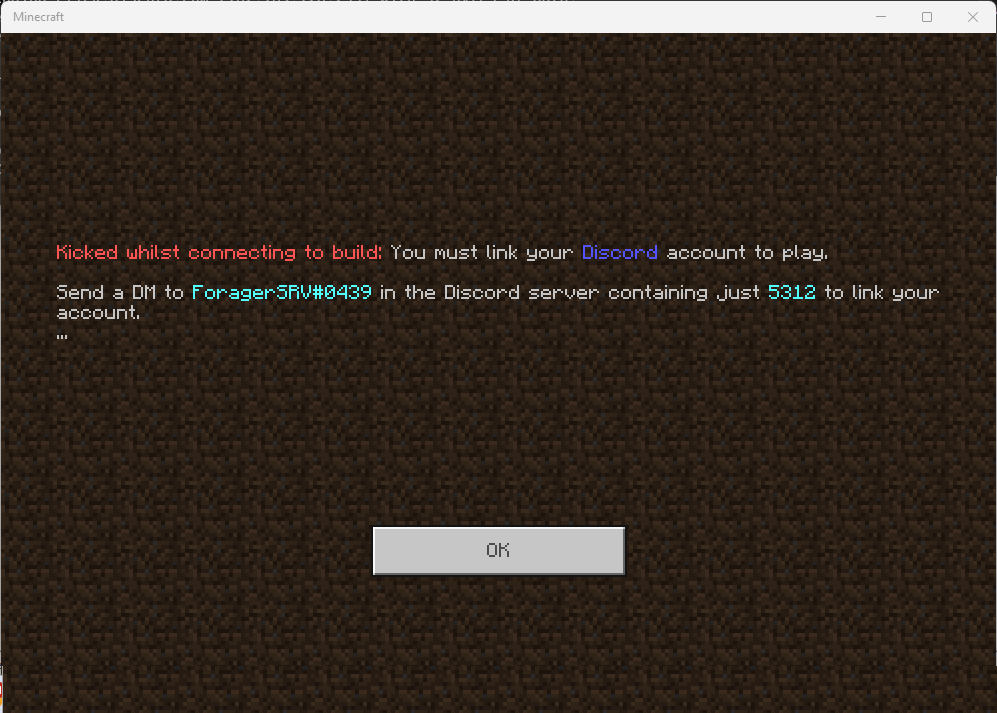
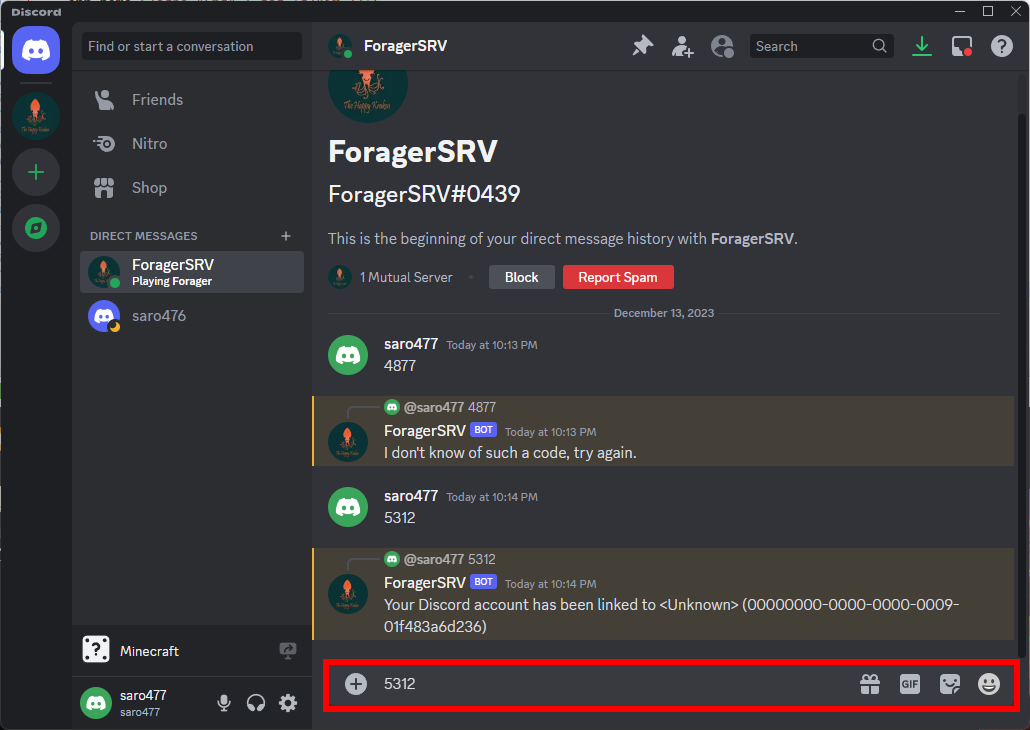
- If this is your first time connecting, you should have a screen like this. You will need the bot name and code on your screen
- Go to the Discord App and navigate to the Direct Messages tab
- Click on
Find or start a conversation
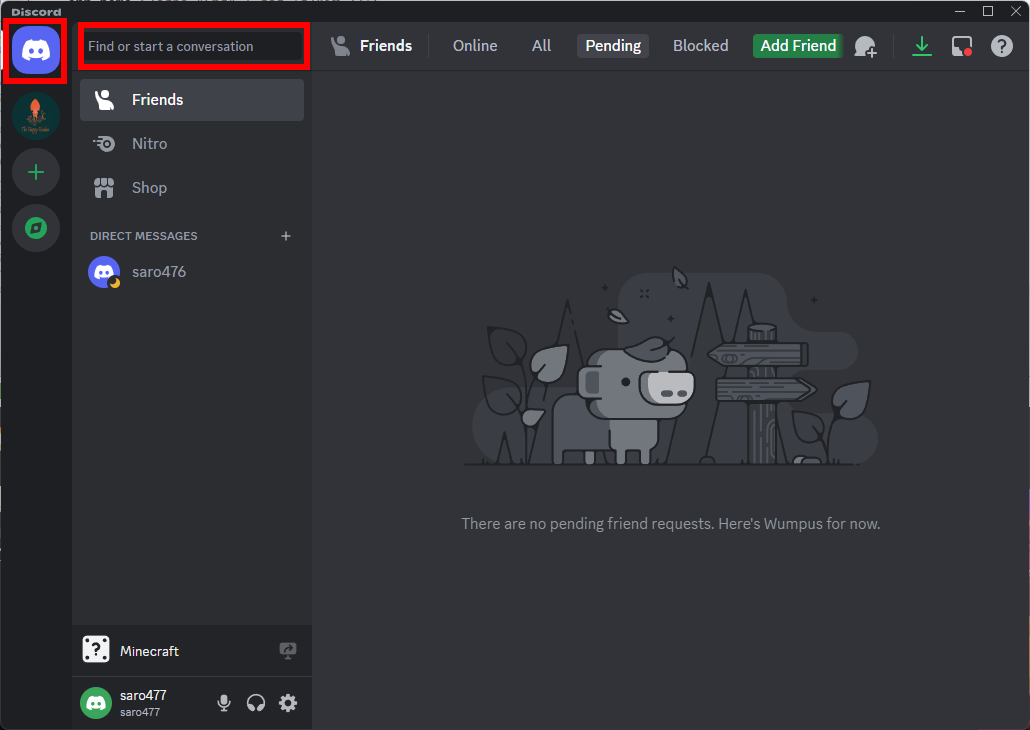
- Type in the Bot name and select the correct one from the search results
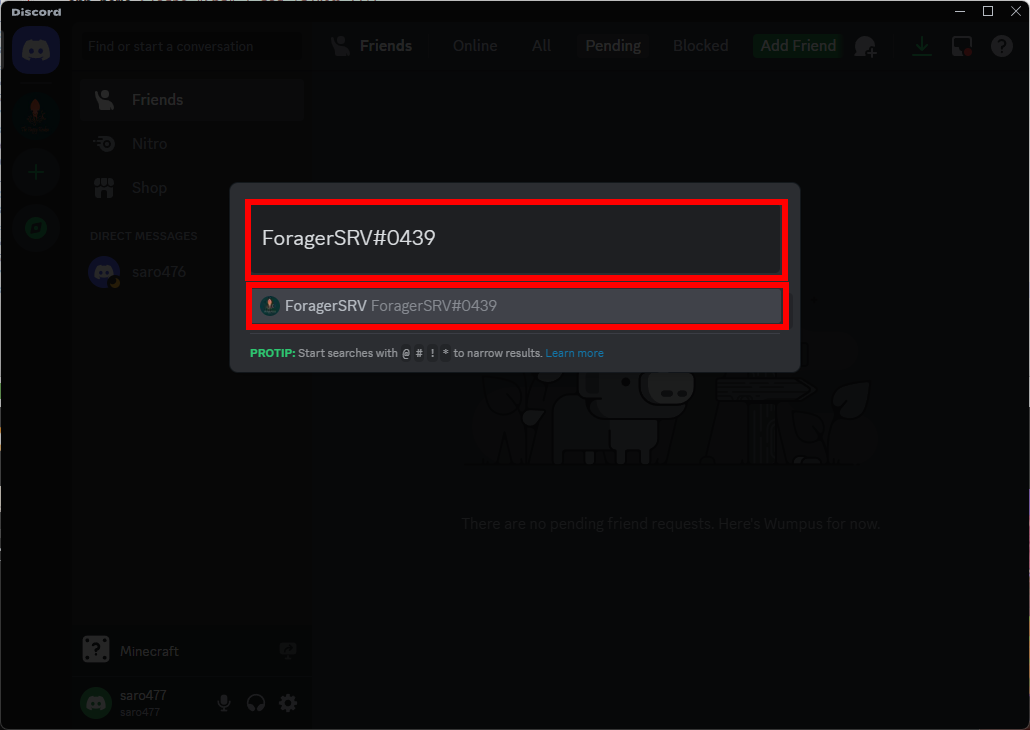
- Send a message to the bot with only the four digit code.
You should receive a response
Your Discord account has been linked to...
If you receiveI don't know of such a code, try again, see the Troubleshooting guide.
6. Back on the Minecraft window, click OK, then re-join the Forager server
7. You should now be able to join the server
Use the PC instructions for a guide